Run your Flickr Pro account from one focused Mac app.
Photo Stream Assistant gives Flickr Pro account owners a fast desktop workflow for search, albums, favorites, metadata, and analytics. Browsing your whole library is free, including the contacts feed, the map, and bulk edits on 10 photos at a time. A one-time Pro Unlock adds the deeper tools.

 Photo Stream Assistant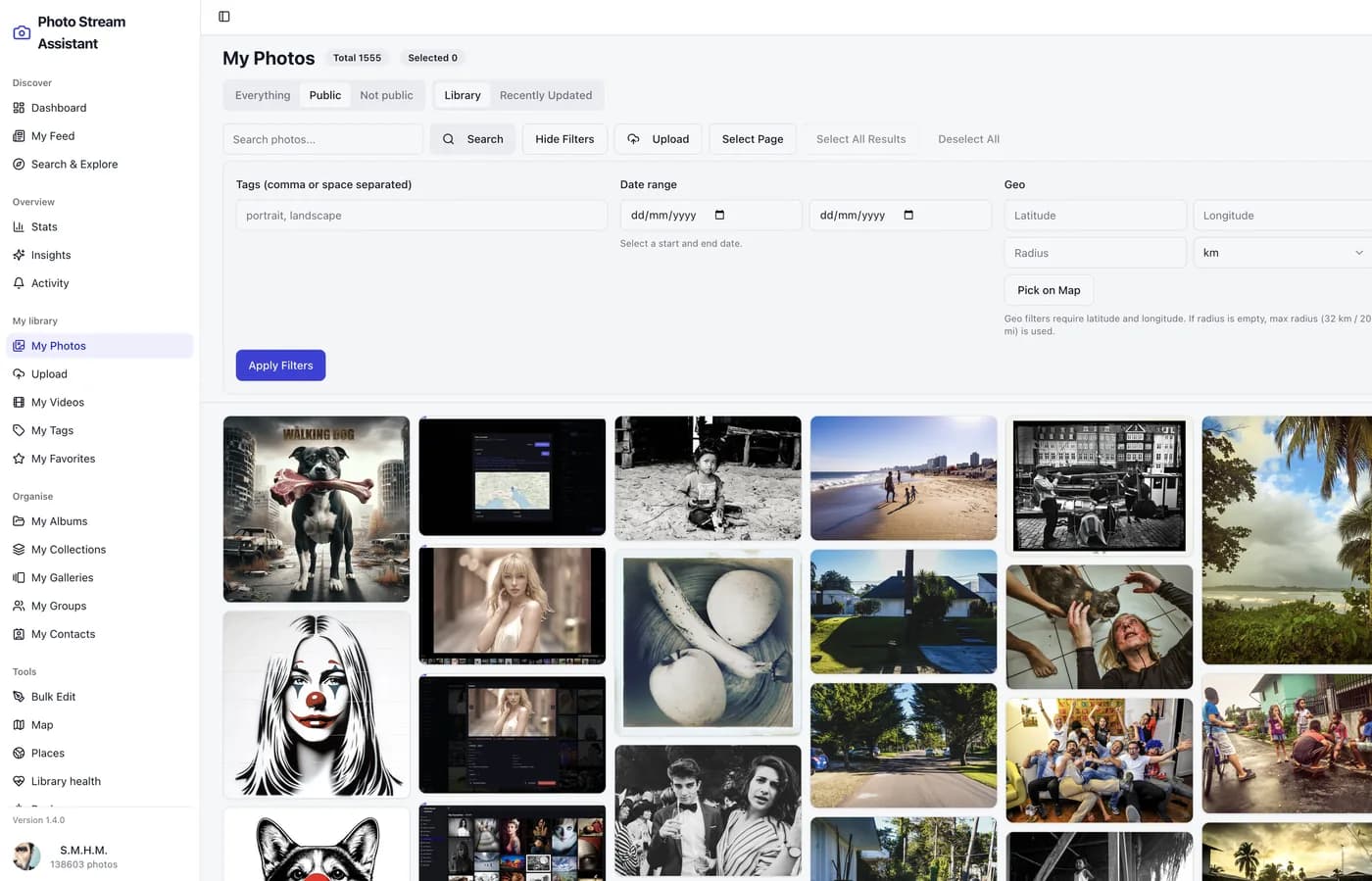
Free
Your whole library, the contacts feed, activity, the map, basic stats, album renaming, and bulk edits 10 photos at a time.
Pro Unlock
One-time purchase for Insights, Explored, Places, Shared Links, album and gallery curation, library-wide tag renaming, and unlimited bulk edits.
Stop editing Flickr photos one by one
Spend less time on repetitive metadata work and more time organising, reviewing, and improving your Flickr Pro library.
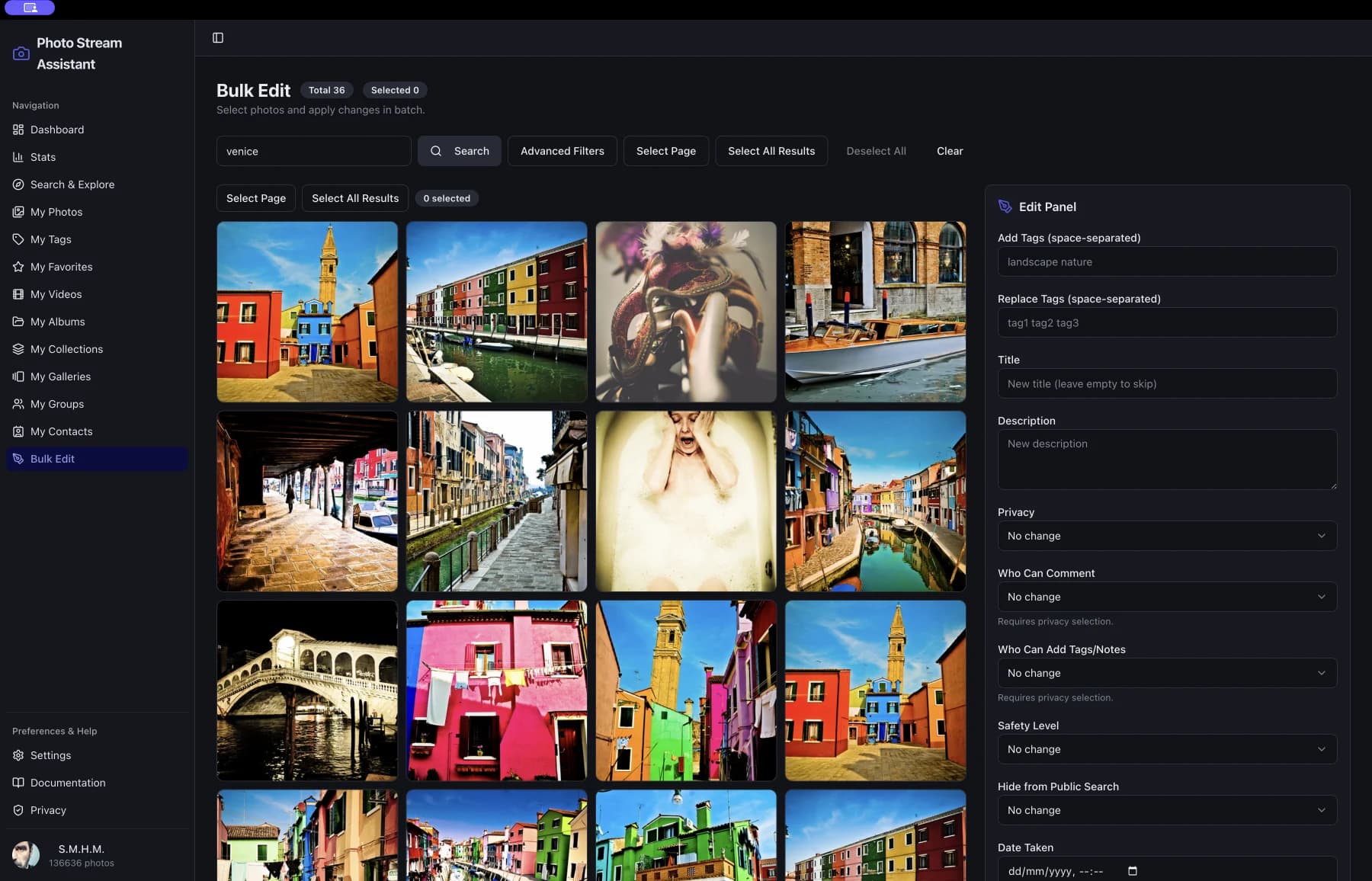
Bulk edit at production speed
Apply titles, descriptions, tags, privacy, licenses, and dates across large selections in one pass instead of editing photo by photo.
Album management without friction
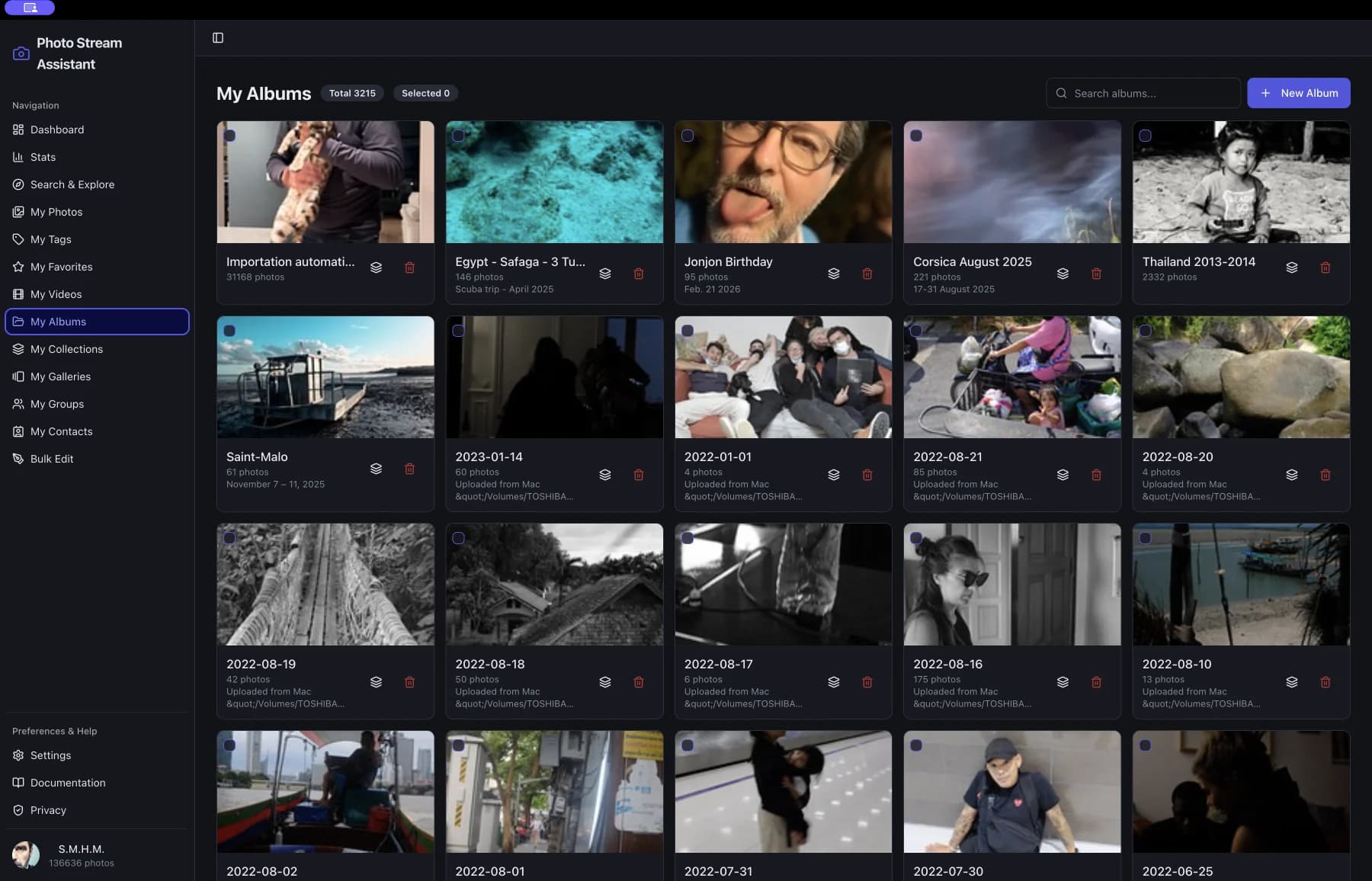
Open an album, review the full set, select the photos that need work, and launch bulk updates directly from the album workflow.
Cleaner library control
Use advanced management tools to keep favorites, metadata, and library structure aligned as your photo catalog grows.
Everything you need to run a serious Flickr library
Built for Flickr Pro account owners who want speed, clarity, and deep control on macOS.
Album workflows
Review album contents, select photos quickly, and launch bulk edits directly from album pages.
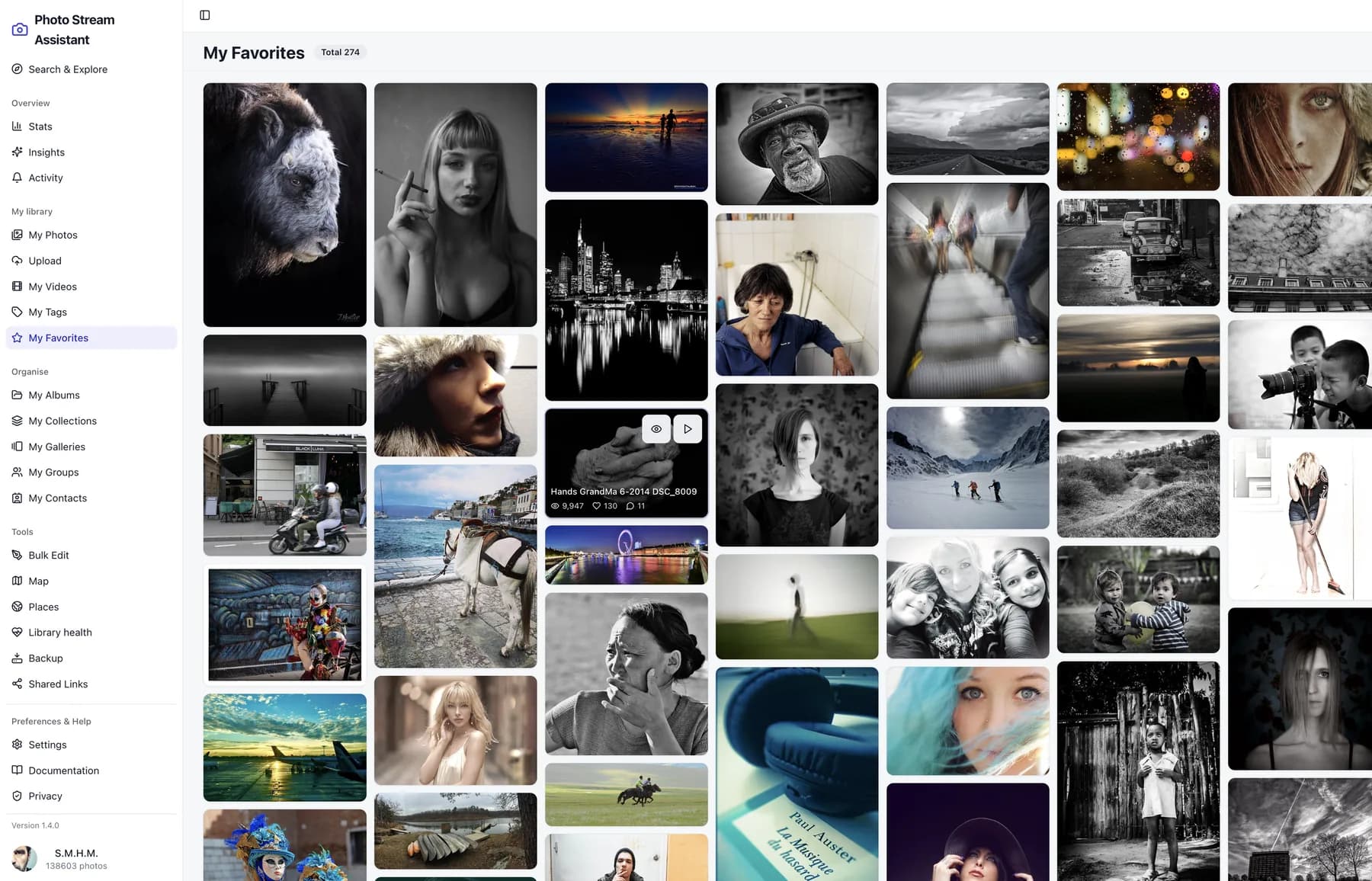
Favorites everywhere
Keep your best finds close with dedicated favorites views and slideshow-level add or remove actions.
Search & Explore
Discover public photos, groups, and people with rich metadata, geo filters, and quick actions.
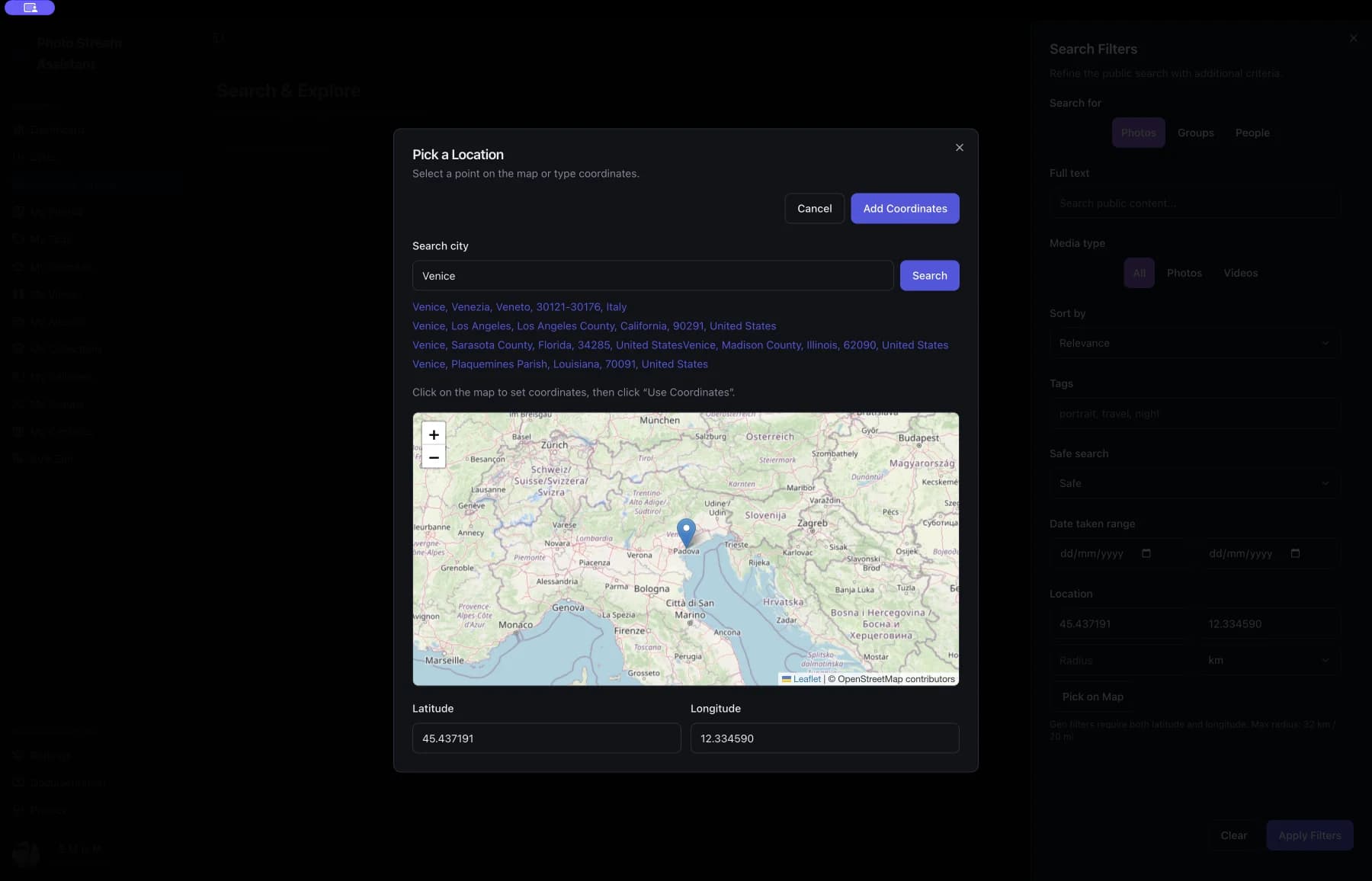
Library management
Organize photos, videos, albums, collections, galleries, and groups with Flickr-native controls.
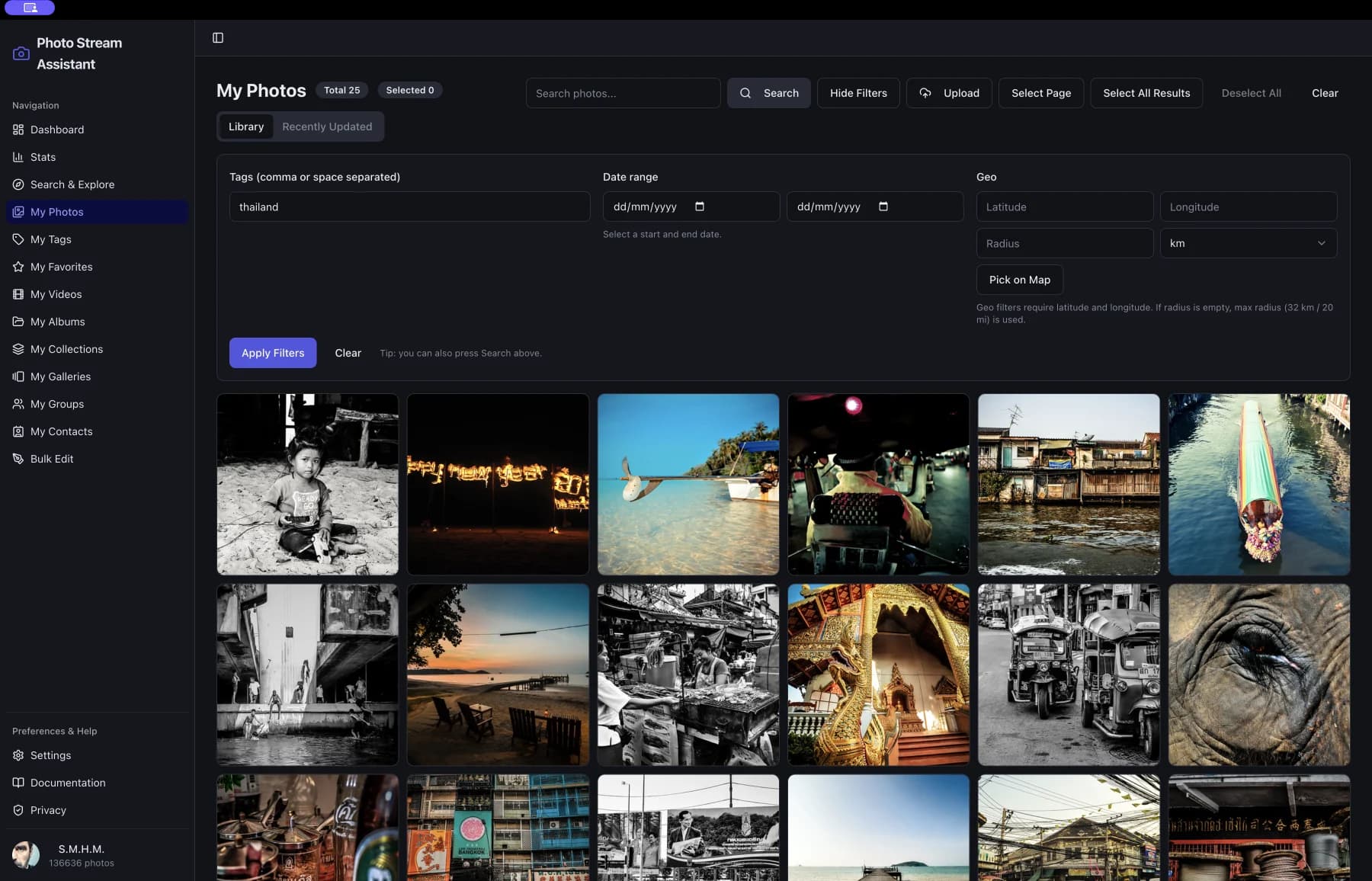
Stats & Insights
Account totals and all-time breakdowns are free. Pro Unlock adds Insights: view trends over any range in Flickr’s 28-day window, the referrers behind them, and the same figures for any single album.
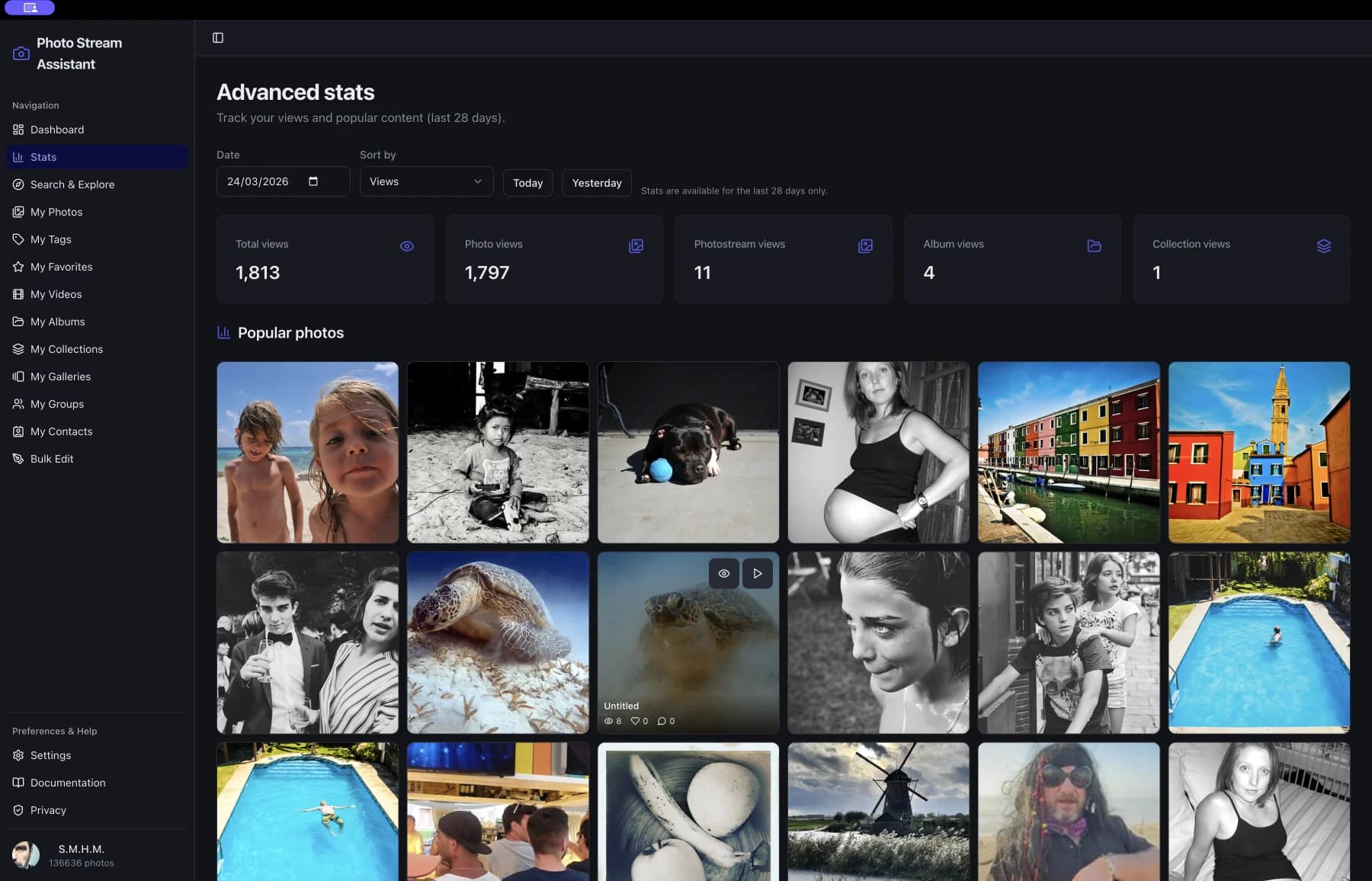
Multi-language
Available in English, French, Spanish, Portuguese, Italian, Russian, Chinese, and German.
Recently added
What has landed lately, and a free app that now covers browsing your entire library.
A history of every change
Every edit, deletion, upload and album change the app makes on Flickr is recorded on your Mac: which photos, with their titles and thumbnails even after a deletion, which album or group, and what Flickr refused. Search it, filter it, export it as CSV.
Stats you can read at a glance
A 28-day bar chart under every all-time total, the library breakdown as bars, faves and comments per day beside views, and where visits on Flickr came from, split the way Flickr’s own stats page splits it.
One set of tools on every screen
Select photos anywhere and the same bar appears: edit details, privacy, album, group, gallery, location, delete. Every thumbnail shows views, faves and comments on hover. Shorter headers that stay put while you scroll, and a sidebar in five sections.
Backup
Download your library to a folder on your Mac, originals where Flickr has them, laid out by date or by album, with the titles, tags, dates and locations written beside each photo. Stop and resume whenever you like.
Now on Intel Macs too
The app is a universal build: it runs on Apple silicon and on Intel Macs, from macOS 12 onwards.
Filter once, edit in bulk
Build an advanced filter in My Photos, then carry it straight into Bulk Edit instead of describing the same photos a second time.
My Feed
The latest photos from the people you follow, either the newest from each contact or everything newest first, in the same grid as the rest of your library.
Activity
Comments, faves and notes on your own photos, ordered by when they happened, with anything since your last visit marked as new. See the photos of whoever faved you, or reply right there.
Insights
How views moved over any range in Flickr’s 28-day window, which photos led that range, and where the views came from inside and outside Flickr.
Places
Browse your library by country, region and locality, and work through the photos that have no location at all by geotagging them in bulk.
Shared Links
Your own register of the Guest Pass links you handed out: what you shared, with whom, and when, so old shares can be reviewed.
Tag management
Rename a tag across your whole library, merge one into another by renaming it, or remove it from every photo at once. Related tags are shown so a near-duplicate is caught before it spreads. Flickr’s own website offers none of this.
Rename albums and galleries
An album, gallery or collection can be renamed and re-described in the app, rather than only on flickr.com.
Album curation and groups
Reorder an album by dragging, set any photo as its cover, reorder the albums themselves, and submit selections to a group pool within that group’s own limits.
Built for how Flickr Pro users actually work
Explore the tools and workflows that matter most when managing a serious Flickr Pro library from a Mac.
Flickr Bulk Edit
Bulk edit Flickr photos on Mac: tags, titles, privacy, dates and location on hundreds at once. Free for 10 at a time, unlimited with a one-time Pro Unlock.
Flickr Album Manager
Manage Flickr albums on Mac: rename, reorder, set covers, and file a selection into several albums at once. Galleries and collections too.
Flickr Metadata Editor
Edit Flickr titles, descriptions and tags across a whole selection on Mac, with a choice of adding tags or replacing them. One dialog, many photos.
Flickr Photo Organizer
Organize a large Flickr library on Mac: browse everything in one window, filter, select across pages, and act on the selection at once.
Flickr Favorites Manager
Browse your Flickr favourites on Mac in a masonry wall or a grid, preview and slideshow them, and add or remove favourites as you go.
Flickr Desktop App
A native Flickr desktop app for Mac, Apple silicon and Intel: your whole library, feed, map and stats in one window, with bulk editing built in.
Flickr Map View
See every geotagged Flickr photo you have on one map on Mac, filter by date and media, and pick locations for the photos that have none.
Flickr Tag Manager
Rename a Flickr tag across your entire library, merge one tag into another, or remove it everywhere, from a Mac app. Flickr's site cannot do this.
Flickr Insights
Flickr statistics on Mac: views, faves and comments over any range in Flickr's 28-day window, which photos led, and where the traffic came from.
Flickr Geotagging
Geotag Flickr photos in bulk on Mac: pick a point on a map and apply it to a whole selection, or browse Places for the photos still missing one.
Flickr Guest Pass Links
Keep a register of the Flickr Guest Pass links you handed out: which album, to whom, and when. Flickr issues the pass; the app keeps the record.
Flickr Backup
Download your whole Flickr library to a folder on your Mac, original size where available, with titles, tags, dates and locations saved beside each photo.
Library Health
Scan your Flickr library and count the photos with no real title, no tags, no location or no album, then fix them in batches from the same screen.
Bulk edit actions
Every field below can be changed across a selection from your library or from an album. The free app applies a change to 10 photos at a time; Pro Unlock removes the limit.
- Add tags
- Replace tags
- Edit title
- Edit description
- Privacy (public, friends, family, private)
- Comment permissions
- Add-meta permissions
- Safety level
- Hide from search
- Content type (photo, screenshot, other, virtual)
- License
- Date taken
- Date taken granularity
- Date posted
- Rotation
- Geo location (lat/lon)
- Geo accuracy
- Geo context (indoors/outdoors)
- Geo visibility (public, contacts, friends, family, private)
Free app + one-time Pro Unlock
Browse and edit for free, and try bulk editing on a small selection before you decide. Pro Unlock is bought once with your Mac App Store account; nothing renews.
Free
- Your whole library: photos, videos, albums, collections, galleries, groups, tags, contacts, favorites
- My Feed and Activity
- Map of your geotagged photos
- Search & Explore, advanced filters, and Flickr’s daily Explore picks
- Account stats, and the upload defaults Flickr will apply next
- Rename and re-describe albums, galleries and collections
- Bulk edit and tag changes, 10 photos at a time
- Back up 25 photos per run to a folder on your Mac
Pro Unlock
- Insights: view trends, referrers, and per-album figures
- Places: browse by country and region, geotag in bulk
- Shared Links: your Guest Pass register
- Backup: your whole library on your own disk, metadata included
- Album curation: reorder photos, set covers, reorder albums
- Tags at scale: rename, merge or remove one across the library
- Bulk edit and group submissions with no per-batch limit
- Restore Purchases in settings
Ready to focus on your Flickr library?
Download Photo Stream Assistant for macOS, browse and edit your library straight away, and unlock Pro when you need insights, bulk geotagging, unlimited batches, and a backup of the whole library on your own disk.
How to do it on Flickr, with or without the app
Plain answers to the tasks Flickr users search for. Each is true on flickr.com first; the app is named where it saves the work.